Would you like to create beautiful lists of recommendations to share with your friends, clients, and followers?
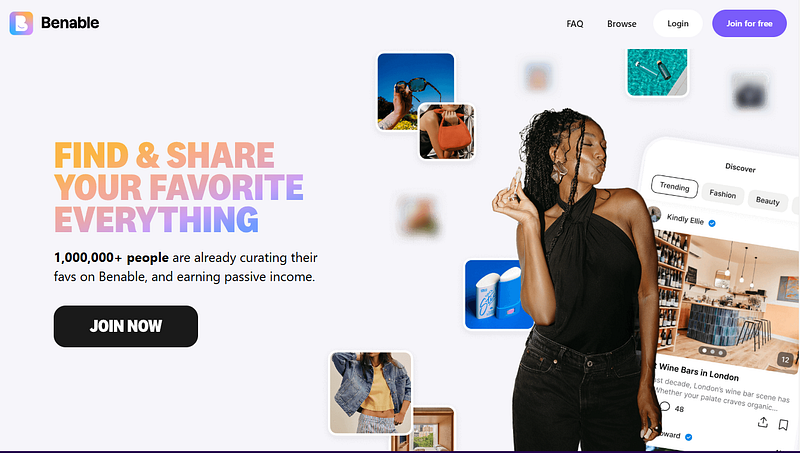
Benable is a platform that enables users to earn commissions by creating curated lists of recommendations.
With Benable, you can create and share lists of your recommendations.
This curation platform is designed to help creators streamline their product recommendations.
Benable Review 2026
Benable is a legitimate, free, and popular platform for creating curated recommendation lists and earning commissions.
It is particularly noted for being user-friendly for non-influencer creators.
Benable acts as a hybrid of a social network and an affiliate program, allowing users to share recommendations for products, places, and services without managing individual affiliate applications.
Benable Website: https://benable.com
My (Aiso.blog) Ratings:
- Overall platform rating: 5/5
- Ease of use: 4.5/5
- Free Plan: 5/5
- Features: 4.5/5
- Support: 4/5
Pros of Benable:
- Easy to use: The user interface is cleaner and more intuitive than that of competitors.
- Instant access to big brands: Upon joining, users are instantly approved to create affiliate links for over 40,000 brands, including Amazon, Sephora, and Nike.
- Passive Income Potential: You can earn money by simply sharing lists of items you own or use without having to create, edit, or post video content.
- No High Follower Count Needed: Unlike other platforms, a large social media following is not necessary for success; the platform’s search and recommendation algorithms can drive traffic to your lists.
- Good for Non-Influencers: It is highly praised by hobbyists, bloggers, and everyday users who want to share recommendations.
Cons of Benable:
- High payout threshold: The main complaint is the $80 minimum, which some users find takes a long time to reach.
- It is not a “get rich quick” scheme. Income is usually slow, passive, and low-yield. It is often described as “coffee money” rather than a full-time income.
- Limited App Functionality: Some users find it frustrating that certain actions, such as deleting items, can only be done in a web browser rather than in the app.
- Commission tracking issues: Some users have reported that if a customer uses other browser extensions, such as Honey or Rakuten, the commission may not be tracked correctly by Benable.
4 Tips for Benable Success by AISO Blog:
- Focus on specific niches. Create targeted lists (e.g., “Tools For Writers” rather than “Products I Like”).
- Be consistent. Regularly add new, high-quality recommendations and update old lists.
- Use high-quality photos. Use real photos to build trust.
- Leverage external traffic. Promote your Benable lists on Pinterest, Instagram, or a blog to drive more traffic, as that often leads to faster conversions.
Find Suresh on Benable
Check out everything I share and recommend on Benable!
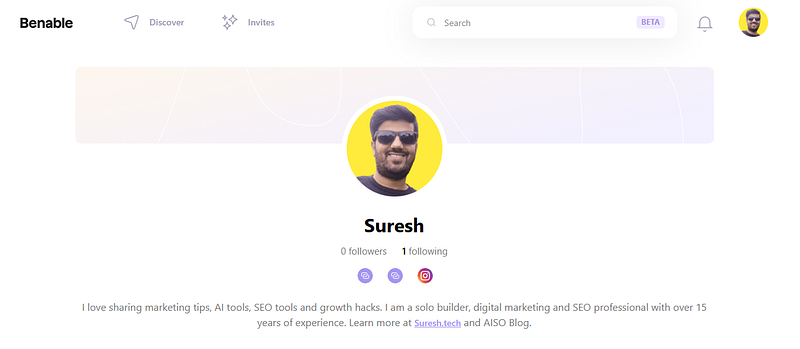
My Benable profile link: https://benable.com/suresh
Verdict: What Makes Benable Unique
Based on my experience, Benable is a safe and “genuinely cool” platform, not a scam.
However, success requires consistency, patience, and strategic list building.
Benable is an app that allows you to share your favorite things and earn from 40,000 brands. Skip the waitlist by using my link.
My Benable Earnings
Here’s a snapshot of my eligible payout. This is my balance that has been confirmed by Benable brand partners.
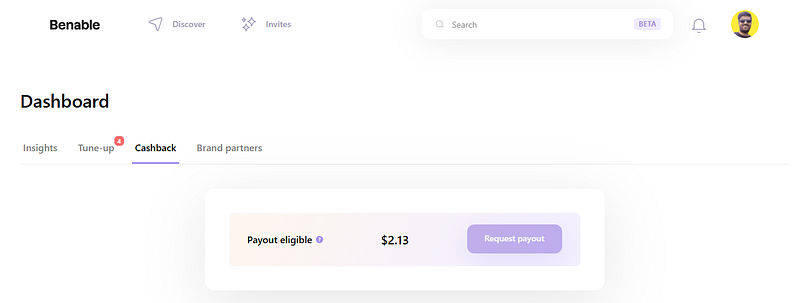
I can request a payout once I have at least $80 in my Benable account.
On the Benable app, you can create curated, themed lists of products, services, or places and share them via links.
Since Benable automates affiliate links with over 40,000 brands, any recommendations you add will automatically include commission links.
This allows you to earn a commission when others make a purchase.
Here’s how to share content on Benable:
1. Create a shareable list.
Start a list. Log into your account and create a new list (e.g., “Summer Favorite Food,” “Best Restaurants New York”).
Add content. Type in keywords or paste URLs of products or places. Benable automatically pulls in photos, descriptions, and relevant links.
Customize: Add your own notes and photos, and organize items into sections for better, more searchable content.
Set privacy settings: You can make your lists public (visible in searches and on your profile) or hidden (viewable only via your link).
2. Share your list or profile.
Via the app or the web: Click the “Share” button on a specific list or on your profile page.
Via link: Copy your unique URL and paste it on social media (e.g., Instagram, TikTok, YouTube, Facebook, or, X), in your blog, or in your link-in-bio.
Via email: You can invite people directly to your list via email.
Important: Recipients do not need a Benable account to view your recommendations.
3. Tips for More Engagement:
Use social media: Promote your lists on platforms like Pinterest by creating pins that link back to your Benable lists.
Be specific. Lists with specific titles, such as “Top 10 Coffee Shops in Austin,” tend to perform better than general lists, such as “My Favorite Coffee Shops.”
Add personal notes. Explain why you recommend an item to make the list more trustworthy.
Engage with others. Like and comment on other creators’ lists to increase your visibility on the platform.
You can share your entire profile URL or specific, themed lists to monetize your recommendations immediately.
Chrom Extension
With the Benable Chrome Extension, you can now add recommendations to Benable even faster!
Download the extension from the Chrome Store and start using it to save things to Benable while browsing the web instead of copying and pasting links.
Here’s a quick video overview of some advanced features that will save you time and enhance your Benable experience.
Let us know if you have any questions in the comment section below.
Related Review Posts at AISO Blog
If you enjoyed this Benable review post, you might also like my other reviews of AI tools designed to help writers, marketers, and businesses:
- Frase AI Review: An AI tool designed to help marketing professionals streamline research, content optimisation, SEO and GEO-targeted strategies.
- Rytr AI Review: A budget-friendly AI writing assistant for short-form content creation.
- Frog DR Review: A tool focused on digital research and productivity.
- AiSEOTracker Review: Helps track SEO performance and keyword rankings with precision.
- Prompt Watch AI: Monitors and optimises AI prompts for better content generation.
Want to publish review content on AISO Blog? Check our SEO Booster Package.
About Suresh

Leave a Reply